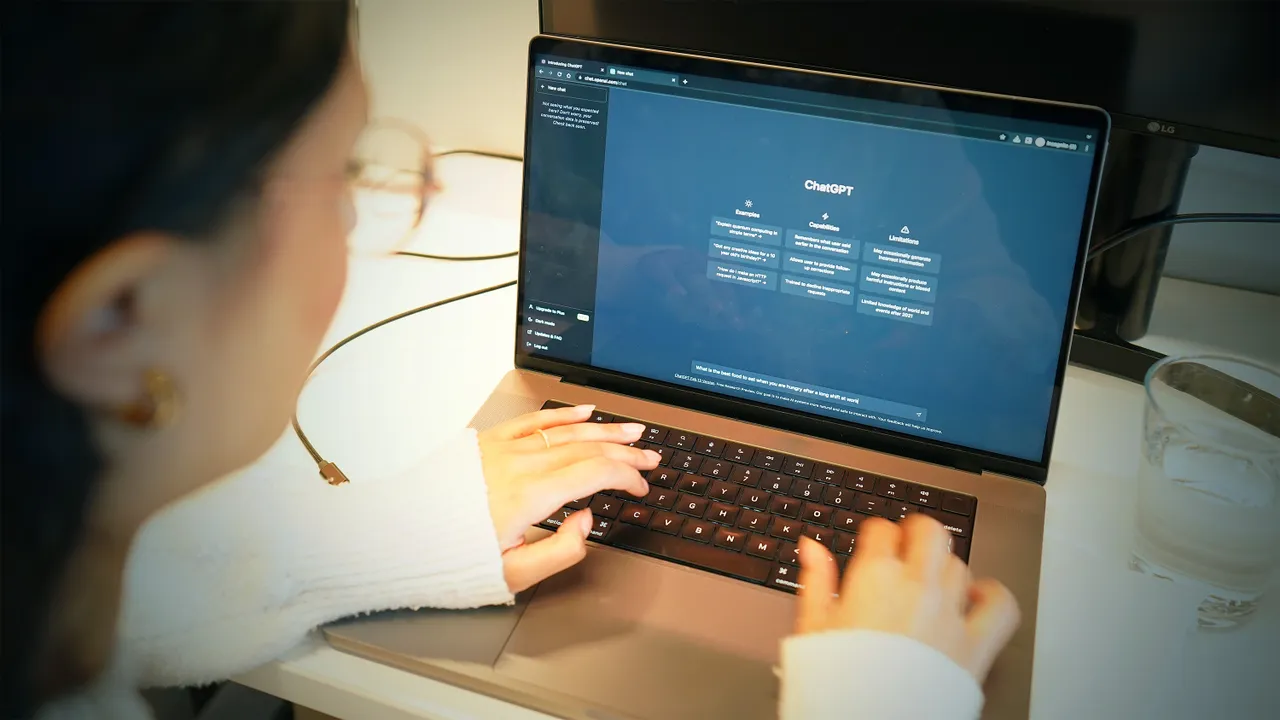









In 2025, the academic landscape is undergoing a seismic shift, driven by the integration of artificial intelligence (AI) tools like ChatGPT, Perplexity AI, and Grammarly. These tools are no longer just novelties—they’re revolutionizing how students study, offering personalized, efficient, and engaging ways to master complex material. With over 50% of college students already using AI for assignments and exam prep, as noted in a 2023 survey by EdSource, the question isn’t whether to use AI but how to use it effectively and ethically. This 2,000-word article explores how ChatGPT and other AI tools can supercharge study sessions, providing practical strategies, highlighting top tools, and addressing ethical considerations. From generating practice quizzes to summarizing dense texts, these tools help students study smarter, not harder, in a fast-paced academic world.
Why AI Tools Are Game-Changers for Studying
AI tools leverage advanced algorithms, natural language processing (NLP), and machine learning to tailor learning experiences to individual needs. Unlike traditional study methods—endless note-taking or rote memorization—AI offers dynamic, interactive support. Jotform Blog highlights that AI can “simplify concepts, summarize information, create quizzes, and more,” making it an ideal study companion. Benefits include:
- Personalized Learning: AI adapts to your pace and knowledge level, offering tailored explanations or practice questions.
- Time Efficiency: Tools like ChatGPT can summarize a 30-page chapter in minutes, freeing up time for deeper understanding.
- Engagement: Interactive features, such as AI-generated quizzes or flashcards, make studying more engaging than passive reading.
- Accessibility: AI tools provide 24/7 support, perfect for late-night study sessions or students with diverse learning needs.
A 2023 study in Humanities and Social Sciences Communications found that nearly two-thirds of German students use AI tools, with ChatGPT and GPT-4 being top choices, particularly in engineering and natural sciences. As ClickUp notes, the global AI education market reached $6 billion in 2025, underscoring its transformative impact. Let’s explore how to harness this “AI edge” with practical strategies and the best tools for 2025.
Top AI Tools for Smarter Study Sessions
1. ChatGPT: The Versatile Study Buddy
Developed by OpenAI, ChatGPT is the go-to AI for students, offering instant answers, concept explanations, and content generation. Tilburg.ai praises its ability to provide “accurate, detailed explanations” across subjects, from biology to literature. Use cases include:
- Concept Clarification: Ask ChatGPT to break down complex topics, like the heart’s electrical system, in simple terms. For example, “Explain how the heart’s conduction system works in 100 words.”
- Practice Questions: Generate custom quizzes or essay prompts, as shared by X user @ChelseaParlett, who noted students use ChatGPT to create practice exam questions from study guides.
- Summarization: Condense lengthy textbooks or lecture notes into concise summaries, saving hours of review time.
Tip: Use incremental prompting, as suggested by Mushtaq Bilal on X, starting with broad questions to build context before requesting specific outputs like essay outlines.
2. Perplexity AI: The Research Powerhouse
Perplexity AI combines AI with web search to deliver credible, sourced answers, making it ideal for research-heavy tasks. Global Admissions highlights its “deep research capability,” accessing scholarly articles and real-time data. Use it to:
- Find Reliable Sources: Get summaries of peer-reviewed papers with citations, perfect for literature reviews.
- Explore Topics: Ask, “What are the latest studies on climate change impacts?” for curated insights.
- Avoid Hallucinations: Unlike ChatGPT, Perplexity minimizes inaccurate responses by grounding answers in verified sources.
Tip: Use Perplexity for fact-checking ChatGPT outputs to ensure academic rigor.
3. Grammarly: The Writing Enhancer
Grammarly’s AI goes beyond spell-checking, offering style suggestions, plagiarism detection, and tone adjustments. Toolfinder.co notes its new AI features can “reorganize writing” and check for AI-generated content, ensuring originality. Use it to:
- Polish Essays: Refine drafts for clarity and coherence, crucial for academic submissions.
- Avoid Plagiarism: Cross-check work against billions of web pages to maintain integrity.
- Improve Structure: Get suggestions to strengthen arguments or transitions.
Tip: Pair Grammarly with ChatGPT to draft and refine essays, ensuring both creativity and polish.
4. Study Fetch: The All-in-One Study Generator
Study Fetch transforms lecture notes, PowerPoints, or PDFs into flashcards, quizzes, and AI-driven tutors. Studyfetch.com claims it creates “focused study tools in seconds,” ideal for exam prep. Features include:
- Flashcards and Quizzes: Generate practice questions from uploaded materials, reinforcing key concepts.
- AI Tutor (Spark.E): Ask questions about diagrams or notes in real time, simulating a personal tutor.
- Podcasts and Videos: Convert notes into 6–45-minute audio summaries or educational videos.
Tip: Upload specific chapters to create targeted quizzes, aligning with UC Denver’s advice on AI-generated practice questions.
5. Consensus: The Academic Search Engine
Consensus is an AI-powered search engine for research, extracting insights from 200 million scientific papers. Consensus.app positions it as superior to ChatGPT for academic rigor, avoiding inaccuracies common in generative AI. Use it to:
- Answer Research Questions: Ask, “Does immigration improve the economy?” for evidence-based consensus with cited studies.
- Synthesize Literature: Get summaries of top papers, streamlining literature reviews.
- Fact-Check: Verify claims with peer-reviewed sources.
Tip: Use Consensus alongside Perplexity for comprehensive research, ensuring both depth and breadth.
6. RemNote: The Flashcard Innovator
RemNote’s AI-powered note-taking and flashcard features are a hit among visual learners. Toolfinder.co praises its ability to turn images (e.g., a skeleton diagram) into flashcards with one click. Use it to:
- Create Visual Flashcards: Convert diagrams or charts into study aids for subjects like biology or anatomy.
- Organize Notes: Link concepts hierarchically for better retention.
- Review Efficiently: Use spaced repetition to reinforce memory.
Tip: Combine RemNote with Study Fetch for a robust flashcard-quiz ecosystem.
7. Otter.ai: The Lecture Transcriber
Otter.ai transcribes audio recordings into searchable text, perfect for capturing lectures or study group discussions. Staytoo.de highlights its ability to save lectures as MP3s for podcast-style review. Use it to:
- Transcribe Lectures: Focus on listening during class while Otter records and transcribes.
- Search Notes: Find specific topics or quotes in transcripts for quick review.
- Review on the Go: Listen to lecture summaries while commuting or exercising.
Tip: Use Otter.ai transcripts as inputs for Study Fetch or ChatGPT to generate study materials.
Practical Strategies for Smarter Study Sessions
To maximize the AI edge, integrate these tools into your study routine with deliberate strategies, as inspired by Jotform Blog and UC Denver.
1. Generate Practice Questions for Active Recall
Active recall—testing yourself on material—is one of the most effective study techniques, per UC Denver’s research on educational psychology. Use Study Fetch or ChatGPT to create quizzes from your notes. For example, upload a psychology chapter to Study Fetch and request 20 multiple-choice questions. Practice answering without notes to strengthen memory. X user @ChelseaParlett shared how students use ChatGPT to generate “tons of practice questions,” boosting exam readiness.
2. Summarize and Simplify Complex Material
Dense textbooks or research papers can overwhelm students. Use ChatGPT or Perplexity AI to summarize key points. For instance, ask ChatGPT, “Summarize this 500-word article in 100 words,” or use Perplexity to extract main findings from a study. Jotform Blog notes that summarizing regularly enhances retention by focusing on core concepts. Pair summaries with Grammarly to ensure clarity for note-taking.
3. Create Visual Study Aids
Visual learners benefit from diagrams, flashcards, and mind maps. RemNote and Study Fetch excel at turning text or images into visual aids. For example, upload a biology diagram to RemNote to create labeled flashcards, or use Study Fetch to generate a mind map from lecture notes. Global Admissions emphasizes that multimodal tools like Google Gemini, which supports text, images, and video, enhance understanding for complex topics.
4. Plan and Organize Study Schedules
AI tools like Notion AI or ChatGPT can create personalized study plans. Ask ChatGPT, “Create a 2-week study schedule for a calculus exam, 2 hours daily,” for a tailored plan with breaks and topics. Notion AI, as per Toolfinder.co, integrates notes, tasks, and calendars, using AI to suggest study priorities based on deadlines. This reduces procrastination and ensures balanced coverage.
5. Enhance Research and Writing
For research papers, combine Consensus and Perplexity AI to gather credible sources, then use ChatGPT to outline drafts. Mushtaq Bilal’s incremental prompting technique—starting with broad questions to build context—can save “20 hours of labor” on outlines, as shared on X. Polish drafts with Grammarly and Quillbot to ensure clarity and originality, avoiding plagiarism flags from tools like Turnitin.
6. Leverage Audio and Interactive Tools
Otter.ai and Study Fetch’s podcast features turn lectures into audio summaries, ideal for auditory learners. Staytoo.de suggests listening to Otter.ai’s MP3s during commutes for passive review. Study Fetch’s AI tutor, Spark.E, allows interactive Q&A, simulating a study group. These tools cater to diverse learning styles, as noted in MCM.edu.ph.
7. Monitor Progress and Adjust
Track your performance with AI tools to identify weak areas. Study Fetch’s quizzes provide instant feedback, while RemNote’s spaced repetition highlights concepts needing review. Jotform Blog recommends adjusting tool usage based on progress—if quizzes reveal gaps, ask ChatGPT for deeper explanations or additional questions.
Ethical Considerations and Best Practices
While AI tools offer immense benefits, responsible use is critical to maintain academic integrity. Flinders University Library warns that unauthorized AI use may constitute academic misconduct, per university policies. Here’s how to use AI ethically:
- Acknowledge AI Use: Declare AI assistance in assignments, e.g., “I used ChatGPT for drafting and proofreading,” as advised by Flinders University. Check your institution’s guidelines.
- Avoid Over-Reliance: Use AI to supplement, not replace, learning. Consensus.app notes that ChatGPT’s inaccuracies require verification with tools like Consensus or Perplexity.
- Prevent Plagiarism: Run AI-generated content through Grammarly or Quillbot’s plagiarism checkers, as Turnitin now detects AI use, per EdSource.
- Understand Limitations: AI can produce errors or biased outputs, as highlighted by Euronews. Cross-check with primary sources or professors.
EdSource reports that 56% of college students use AI for assignments, but opinions vary—some view it as a learning enhancer, others as a crutch. X posts, like @MindMatterr’s claim that ChatGPT is an “ultimate cheat code,” reflect enthusiasm but oversimplify its role. Ethical use ensures AI amplifies learning without compromising integrity.
The Bigger Picture: AI in Education 2025
The AI education market’s $6 billion valuation in 2025, per ClickUp, reflects its growing role in personalizing learning and improving outcomes. ScienceDirect’s 2025 review found that AI tools like ChatGPT enhance engagement and efficiency but require careful management to prevent over-reliance. Students in engineering and sciences, as noted in Nature, use AI most frequently, but humanities students benefit from tools like Grammarly and Quillbot for writing.
On X, sentiments range from excitement—@Ugochukwu_96 shared a method for uploading lecture notes to ChatGPT for study aids—to caution, with users urging ethical use to avoid academic penalties. Deloitte projects that AI will democratize education by 2030, making personalized learning accessible to all, but human teachers remain essential for critical thinking and mentorship, per IU.org.
Final Thoughts
The AI edge is reshaping study sessions, empowering students to learn smarter with tools like ChatGPT, Perplexity AI, Grammarly, Study Fetch, Consensus, RemNote, and Otter.ai. These tools offer personalized, efficient, and engaging ways to tackle complex material, from generating practice quizzes to summarizing research papers. By integrating strategies like active recall, visual aids, and ethical AI use, students can maximize academic performance while staying compliant with university policies. Jotform Blog sums it up: “AI-powered tools make learning more efficient and engaging,” but responsible use is key.
Start exploring these tools today—try ChatGPT for concept explanations, Perplexity for research, or Study Fetch for exam prep. Visit openai.com for Chatgpt, consensus.app for research, or studyfetch.com for study aids, and check your institution’s AI policies. As MCM.edu.ph advises, “Dive into the world of AI tools and see how they can transform your study sessions.” With the right approach, AI can be your ultimate study buddy, helping you excel in 2025 and beyond. What’s your favorite AI study tool? Share your tips below!